Coloring Games Online: Fill, Brush and Color by Number
Updated
Coloring games online use one of three tools: a fill that colors a whole area with one tap, a brush or pencil that you drag across the page, or a numbered grid where each square's color is set for you. Fill is the fastest and cleanest, the brush gives you control over details, and color by number is a calm puzzle with a fixed result. Below is how each works and how to get neat pages, with games from the coloring games collection.
Fill, brush or numbers
| Tool | How it works | Good for | Try |
|---|---|---|---|
| Fill | One tap colors a whole outlined area | Fast, clean pages | Tap To Color: Painting Book |
| Brush or pencil | Hold and drag; some games let you change the size | Details, shading, free drawing | Draw with Pencils Coloring Book |
| Color by number | Each square has a number that matches a color | A relaxed puzzle | Color by Numbers |
| Full tool set | Pencil, fill, eyedropper, eraser, brushes, undo | Doing each page your own way | MerryKins Coloring |
Fill: how it works and why it leaks
In Tap To Color: Painting Book the palette sits at the bottom of the screen: tap a color, then tap an area of the sketch to fill it. Drawing Carnival lets you draw lines and fill colors with the mouse or a finger, and MerryKins Coloring has a fill tool next to its pencil, eyedropper, eraser, brushes, copy and paste, and undo.
A fill tool is a flood fill. Wikipedia's article on flood fill explains that the bucket tool of paint programs colors the connected area of similar color around the spot you pick. Two things follow from that:
- A fill stops only at a closed line. If the outline has a gap, the color runs through it into the next area, sometimes the whole background.
- The same article notes that flood fill can miss pixels in sharp corners, so a narrow point may keep a speck of white.
How to work with it:
- Zoom in before you tap a small area. MerryKins Coloring zooms with the mouse wheel or a pinch.
- If a fill floods too far, undo it, then close the gap with a short pencil line or color that part with a brush.
- Fill the big areas first, then the small details, then touch up corners with a small brush.




Brush and pencil games
Brush games color only where you drag, so the edges are up to you.
- Draw with Pencils Coloring Book offers a ready-made outline or a blank canvas. Click a pencil in the palette, then hold the left mouse button and move across the page.
- Fast Food Coloring Book has four food pictures, and you can make the tip bigger or smaller to color more easily.
- Fun Colors coloring book for kids has an endless palette, several brushes, a drawing mode and a night mode, lets you upload your own images and photos, and can print or save the result.
- Easter Coloring Book Online gives you a paintbrush, a color picker and patterns and textures to try.
- Magic Coloring Book for Little Artists draws the outline first, with a marker that moves while you hold the screen; then you color it.
- Paint Quest Kiddo hands you virtual crayons for black-and-white pictures of cars and animals.
Brush habits for clean edges
- Use a big tip for open spaces and a small one near the lines.
- Color the edge of an area first, then fill the middle.
- Lay down light colors before dark ones, so a slip is easy to cover.
- Pick a palette of three to five colors before you start, and reuse them across the page.





Color by number
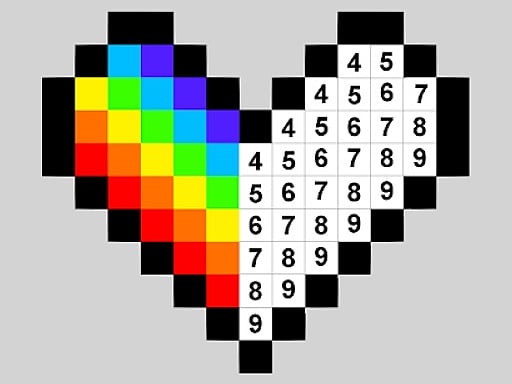
Color by number takes the choosing out. The picture is a grid or a set of areas, and each one carries the number of its color.
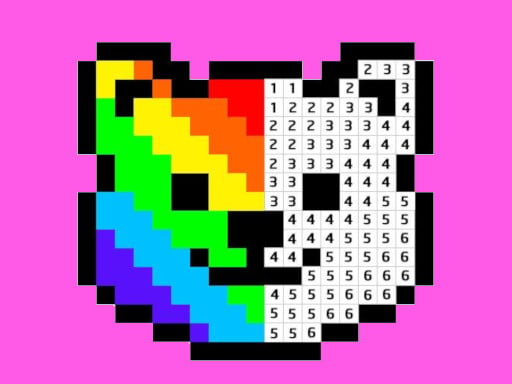
- Color by Numbers puts a number in every pixel block: zoom in, choose the color and fill the matching squares until the pixel picture appears.
- Pixel Art - Color by Numbers colors one pixel per left click; hold for 2 seconds and drag to color several pixels in one go.
- Princess Coloring By Number uses the same idea on princess pictures.
Finish one number across the whole picture before moving to the next, so you only change color once per number. Zoom in for the tiny squares, and use hold-and-drag where a game has it.

Glitter books, stickers and timed pages
Some coloring books add finishing touches, and a few add a score.
- Fashion Coloring Book Glitter has 12 pages to color with glitter colors, plus stickers to add.
- Girls Coloring Book Glitter has pictures of princesses, animals, a doll house, cakes and clothes, with glitter colors and stickers.
- Kawaii Coloring Book Glitter offers kawaii pages for glitter coloring.
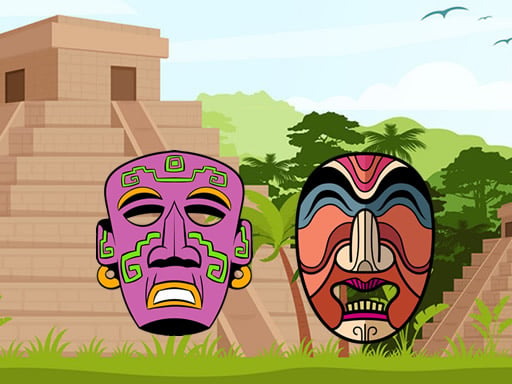
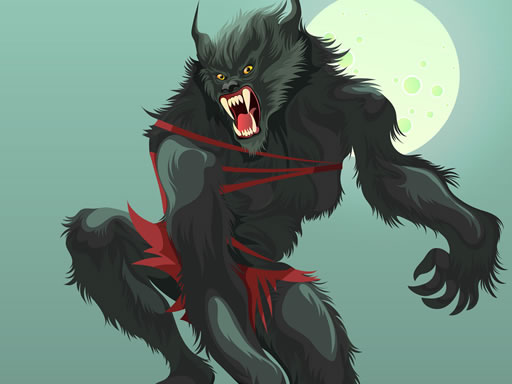
- Ancient Aztec Coloring and Scary Monsters Coloring each have eight pictures and 23 colors, and you color them as fast as you can for a score at the end.
Add stickers last. A sticker placed early can sit over an area you still meant to color.



Coloring as a craft or a puzzle
The coloring collection also holds games where color is the tool for something else. Phone Case DIY 2 offers stencil art, where you spray patterns onto a phone case, among its making processes. Stencil Art Online has you press and drag to spray over a picture. House Painter is a puzzle: swipe with WASD or the arrows until every white space on the house is painted. Tie dye and fabric painting games sit in dress up games.



Common mistakes
- Filling an area whose outline has a gap, then losing the background.
- Coloring small details with a big brush.
- Switching colors for every square in color by number.
- Adding stickers before the coloring is done.
Coloring games FAQ
Can you save a coloring page?
In several games, yes. Coloring books, Ancient Aztec Coloring and Scary Monsters Coloring save the colored image, Fun Colors can print or save to your device, and MerryKins Coloring saves progress with the floppy disk icon and the finished picture as a JPG.
What is color by number?
A picture split into squares or areas, each marked with a number that stands for one color. You fill every area with its matching color until the picture appears.
Can you play coloring games on a phone?
Yes. The games above play with a tap or a finger as well as a mouse, and MerryKins Coloring zooms with a pinch. The site works in the browser of a phone, a tablet and a computer.
Do coloring games have a timer?
A few score speed: Ancient Aztec Coloring and Scary Monsters Coloring reward fast coloring. The other games above describe no clock.
Every game here is in the coloring games collection, and more relaxed picture games are in puzzle games.