Cross Platform Games: One Game on Phone, Tablet and PC
Updated
Cross platform games usually means console and PC games that let players on different machines meet. A browser game is cross platform in a simpler way: the same game opens in the browser of a phone, a tablet and a computer, with keys on one and touch on the others. The games below list both kinds of controls in their own instructions.
What cross platform means for a browser game
A browser game is a web page, so there is one version of it for every device, with nothing to install on any of them. What changes from device to device is the control. On a computer the game reads the keyboard or the mouse; on a phone or tablet it reads your finger.
Not every game does both. Many list only keys, such as WASD or the arrow keys, and some list only taps. A game that names both, often under the headings Desktop and Mobile, is the one to pick if you play on more than one device.
Games with keyboard and touch controls
| Game | On a computer | On a phone or tablet |
|---|---|---|
| Stack Tide | Drag with the mouse, or A and D to move, Q and E to rotate, Space to drop | Tap and drag to move blocks |
| Flume (V2) | A and D or the arrows to steer, Space to boost when the bar is full | Hold the left or right side to steer, tap the BOOST bar |
| COUNTERFLOW | Left and right arrows, or A and D, to change lanes; Space pauses | Tap the left or right side to change lanes, the top to pause |
| NovaBrick Rush | A and D or the left and right arrows; Space launches the ball | Touch and drag the paddle, tap to launch |
| Mononinja | Hold Space to jump | Tap and hold the screen to jump |
| Rally Road | Left and right to change lanes, Space to brake, up for nitro | Swipe to change lanes, tap and hold to brake, swipe up for nitro |
| Zombie Siege | WASD or the arrows to move, E for a bomb, Shift to dash | Left stick to move, buttons for bomb and dash; landscape only |
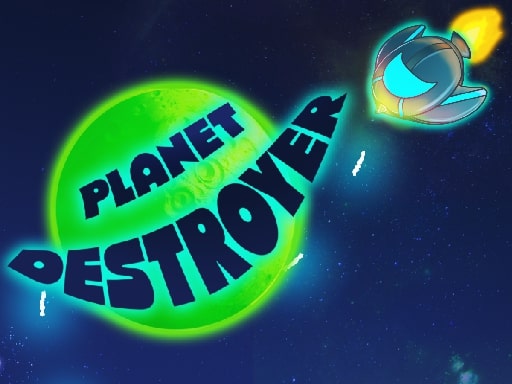
| Planet Destroyer | The mouse or WASD | Touch; it also lists a gamepad's D-pad or left stick |



A few of them in more detail. Stack Tide is a physics stacking game: build the tallest tower you can while the sea rises, and every missed piece makes it rise faster. In Mononinja the longer you hold, the higher the ninja jumps, across more than 30 levels.
Zombie Siege fires automatically when zombies come close, so your job is to move, rescue trapped survivors for your squad and reach the safe zone; on a phone it plays in landscape only. Flume (V2) is a 3D endless runner inside a half-pipe, with three difficulties and a racing mode against your past self.
Two players on one device, with keys or touch
These games put two people on one screen, and each can be played on a laptop keyboard or on a tablet held between you.
| Game | On a keyboard | On a touch screen |
|---|---|---|
| Soccer Random | Player 1 W, player 2 the up arrow | Touch controls; the first to five goals wins |
| Volley Lama | Player 1 W, player 2 the up arrow | Player 1 the left side of the screen, player 2 the right |
| Tank Pixel | Player 1 W, player 2 the up arrow | Each player touches their own side; a longer touch shoots |
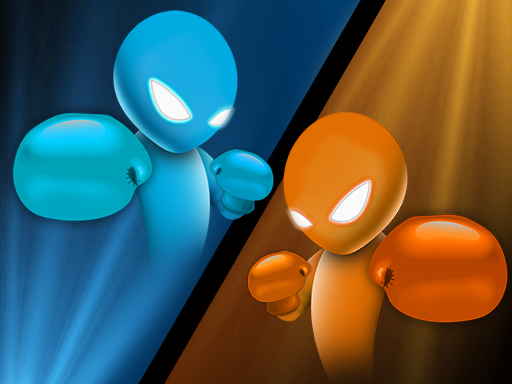
| Drunken Boxing | Player 1 the arrow keys, player 2 WASD | The left and right sides of the screen |
| Pixel Kart | A and D, or the left and right arrows | Touch controls; a race lasts five laps |
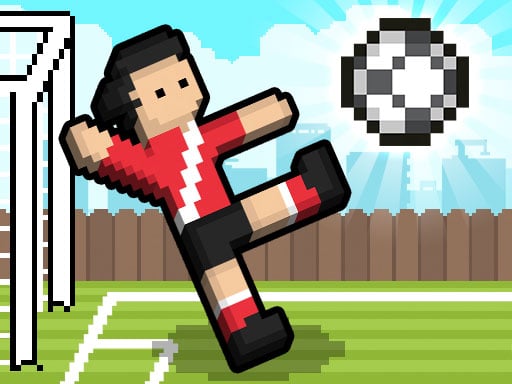


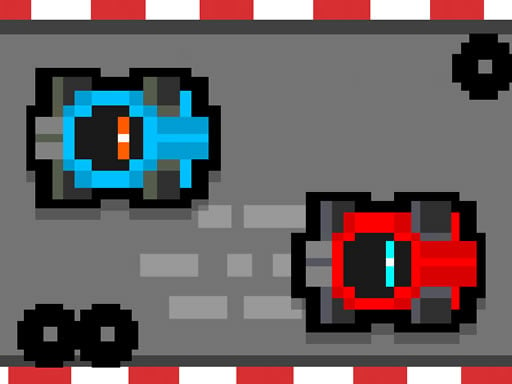
In Soccer Random the field, the ball and the players keep changing, from ice to a beach, and Tank Pixel changes the map after each round, with the first to five scores winning. More games for two are in 2 player games.
What carries over between devices, and what does not
The game is the same everywhere: the same page and the same rules, and only the controls switch from keys to touch. What you collect on the site does not travel with you.
| Same on every device | Stays in one browser |
|---|---|
| The game itself and its rules | Favorites |
| The game of the day, one game for everyone | Recently played |
| The countdown to the next game of the day | The streak |
Favorites, history and streak live in the browser you use: clear its data, open a private window or switch devices and they start over. So if you keep a streak, play it on one device and in one browser. Play any game once and the day counts towards your streak, and how the daily game and streak work has the rest.
Tips for switching devices
- Check the controls before you move a game from laptop to phone. A game that lists only keys stays on the computer.
- Turn the phone the way the game wants. Zombie Siege says landscape only on mobile.
- Full screen works differently on a computer, an Android phone, an iPhone and an iPad, as how to make a browser game full screen shows.
- Device guides go deeper: Android browser games, iPad browser games, games to play on a Mac and games to play on a Chromebook.
Frequently asked questions
What are cross platform games?
Games that run on more than one kind of device. Browser games run in the browser of a phone, a tablet and a computer, so the same game plays on all three.
Can I play with a friend who is on a different device?
Only if the game has its own online mode and says so on its page. The two-player games above share one device instead: both players use the same keyboard or the same screen.
Do my favorites and streak sync between devices?
No. Favorites, history and streak live in the browser you use, so each device and each browser keeps its own.
Are these games free on every device?
Yes. You play free, right in the browser, with no install and no registration, and there are no in-game purchases, paid access or subscriptions.
One game, one page, and whichever device is in your hand.


