Games to Play on iPhone Browser: Tap, Swipe and Drag
Updated
To play games in an iPhone browser, open the site in your phone's browser, pick a game whose instructions name touch controls and press play. The site works in the browser of a phone, a tablet and a computer, and you play free, with no install and no registration. Every game below lists taps, swipes, drags or on-screen buttons in its own instructions or description.
How to tell if a game takes touch
Open a game's page and read its instructions line before you press play. Words like tap, swipe, drag, pinch or on-screen buttons mean the game was written with a finger in mind. A line that lists only keys, such as A and D or the arrow keys, was written for a keyboard, and many of those games say nothing about touch. Some list both: Racer Car names the A and D keys first, then adds that on mobile you can swipe your finger left or right.
| The instructions say | What you do |
|---|---|
| Tap or touch | Press the screen with one finger |
| Swipe | Slide a finger across the screen and let go |
| Drag | Hold an object and move it |
| Pinch | Move two fingers together or apart to zoom |
| On-screen buttons | Press buttons drawn over the game |
The picks come from each game's own page, not from tests on a particular phone, so treat the controls as what the page says and check it if a game feels different.
Tap games
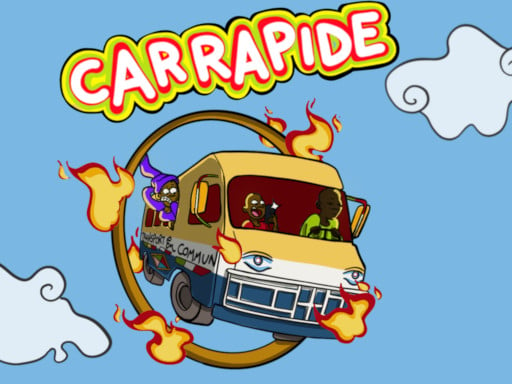
One finger and one action. Car Rapide calls itself a one-finger game: you tap to jump and fly, race a van past obstacles, collect coins and spend them on upgrades and other vehicles. It is an endless game in portrait mode. In Pixel Feast the only control is a tap on a block in the bottom row of the tank. You have five slots, so the order you open blocks in decides whether the pixel picture gets finished, and the game has 134 levels on a portrait screen.
Whack e m All is tap-to-hit: tap the moles that pop up before time runs out, and its description says you can play in portrait or landscape. In Blaze Breakout you touch the screen to move left or right, aiming for the gaps and away from the lava below.



Swipe games
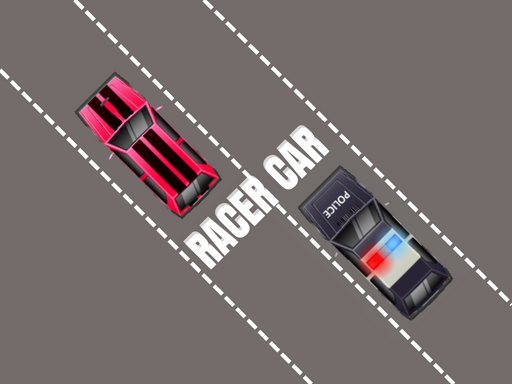
A swipe sets the direction. Football Puzzle Goal lists mouse drag on a computer and, on mobile, swipe to aim and release to shoot; its description counts 60+ levels with walls, obstacles and moving defenders. In Racer Car you swipe left or right to steer along a highway without hitting traffic, and the score grows with every passing second.
FoxyTruck puts you on a tractor: swipe to move, tap once to stop and double-tap to switch modules for each job. In Starlight Quest you swipe or tilt the device to move a glowing star, collecting golden stars while avoiding dark void stars and asteroids.



Drag, pinch and zoom
Puzzles with detailed pictures often add zoom. Pixel Shooter Puzzle says that on mobile you tap cannons, swipe the model to rotate it and pinch to zoom, across 200 pixel puzzles, and that progress is saved in the current browser. Jewel Loop Color Sort has you tap jewel groups and buttons and pinch with two fingers to zoom the board, across 1,478 levels with automatic saving.
In Snake Sort Game you drag or swipe a snake, or tap it to select and move it, and you clear the level by moving the snakes in the right order.


On-screen buttons
Some games draw their controls over the picture. Fat Duck Frenzy lists on-screen steer and jump buttons for touch, plus drag to steer and swipe up to jump, on an endless candy road where you get three hearts per run. Dark World is a platformer with touch buttons for jump, sword attack and throwing the sword, across 30 levels, and its description mentions landscape orientation.


Two players on one screen
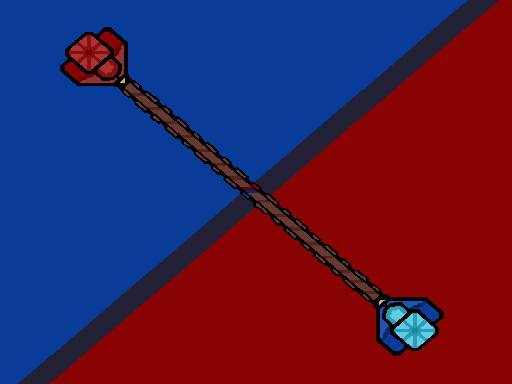
A few games let two people share one phone. Air Hockey Glow: 2 Players has you move a finger to place the puck, and its description says you can play multiplayer offline on your device, or against the computer. In CapsuleMatch one player taps the left side of the screen and the other taps the right, and the first to 5 points wins. Pixel Pulling is a rope pulling race over five rounds where, on touch devices, red and blue buttons on the screen make each character pull.


Tips for playing on a phone
- Hold the phone the way the game expects. Car Rapide is made for portrait mode, Pixel Feast lists a portrait screen, Dark World mentions landscape orientation and Whack e m All says it works in either.
- Read the first line of the instructions before you start, as in the table above. If it lists only keys, pick another game.
- Favorites, recently played, the game of the day and the streak work without an account. They live in the browser you use: clear its data, open a private window or switch devices and they start over.
- Full screen works differently on an iPhone. How to make a browser game full screen explains what changes.
- More one-finger games are in one hand games for your phone, and many more are in mobile games. For what replaces the keys on a touch screen, see keyboard and touch controls.
Frequently asked questions
How do I play web browser games on an iPhone?
Open the site in your phone's browser, pick a game and press play. There is nothing to install and no registration, and the site works in the browser of a phone, a tablet and a computer.
Can I play in Safari?
Safari is the browser that comes with an iPhone, and the site works in the browser of a phone, a tablet and a computer. Open it there or in whichever browser you use, then check each game's controls.
Are there free iPhone browser games?
Yes. You play free, right in the browser. The site asks for neither money nor personal data, and it has no in-game purchases, paid access or subscriptions.
Can two people play on one iPhone?
Some games share one screen. Air Hockey Glow: 2 Players, CapsuleMatch and Pixel Pulling are described above, and each puts both players on the same device rather than online. More games for two are in 2 player games.
Pick the control you like and read the instructions line before you start.