Android Browser Games: Play in Chrome With No Download
Updated
Android browser games play in Chrome or any other browser on the phone: open the site, pick a game and press play, with nothing to download from Google Play and no registration. Every game below names taps, swipes, drags or on-screen controls in its own instructions, because a game that lists only keys was made for a computer.
No download: how browser games run on Android
A browser game is a web page. It loads in a browser tab the way any site does, so there is no app to install and no app update to wait for. You need an internet connection to load the game.
The site works in the browser of a phone, a tablet and a computer, and you play free. It asks for neither money nor personal data. The catalog holds more than 14,000 games, made by independent studios and developers, and not every one takes touch, so the instructions line on each game page is the first thing to read on a phone.
Tap and hold games
One finger, one action, and timing is everything.
- Stair Ball: Hyper Casual moves the ball left and right on its own, and each tap makes it jump one step higher. Red spikes cost you hearts, and there are 75 levels against the clock.
- Shape Switch runs you forward through a line of gates. Tap to switch between a cube, a circle and a triangle so your shape matches the next gate; one wrong switch ends the run.
- Gliding over Dunes is a hold-and-release game: hold the screen to accelerate, release to take off, and hold again in the air to dive.


More one-finger games are in one hand games for your phone.
Swipe and drag games
- Square Fling works like a slingshot: touch, swipe backward and release to fling the square through openings in the gates. It has an Endless mode and a set of levels.
- Free Kick has you drag with your finger to kick the ball, and drag and swipe to curve it past barriers and obstacles.
- Mice Rush is a 3D runner: swipe left and right to steer a mouse between lanes, dodging barriers and collecting cheese as the speed rises.
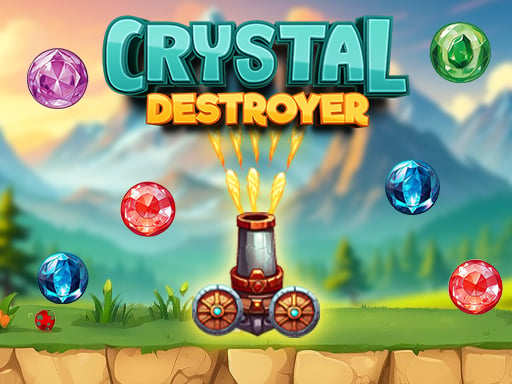
- Crystal Destroyer names Android in its instructions: touch and swipe to move the cannon and shatter falling crystals. A single crystal hitting the cannon ends the game.


On-screen joysticks and buttons
Some games draw their controls over the picture, so a phone gets a joystick, a wheel or buttons in place of keys.
| Game | Controls on an Android phone |
|---|---|
| GoldRush | A joystick in the lower left part of the screen moves the miner left and right; the right side of the screen is the jump button |
| Police Chase Run | An on-screen steering wheel turns the car away from the police cars |
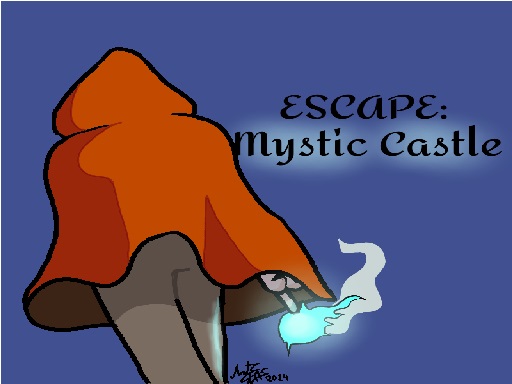
| Escape Mystic Castle Mobile version | Two squares on the left move you left and right; a square on the right jumps |
| Assassins Hunt | Touch and drag anywhere for a virtual joystick, across 100 levels |
GoldRush is an endless runner with a dwarf miner who leaps across shaky platforms, grabs gold and dodges falling rocks, and its instructions name Android for the touch layout. Assassins Hunt is a top-down stealth game set in the Wild West, where you sneak up behind enemies.



What usually replaces the keys on a touch screen is set out in keyboard and touch controls.
Two players on one phone
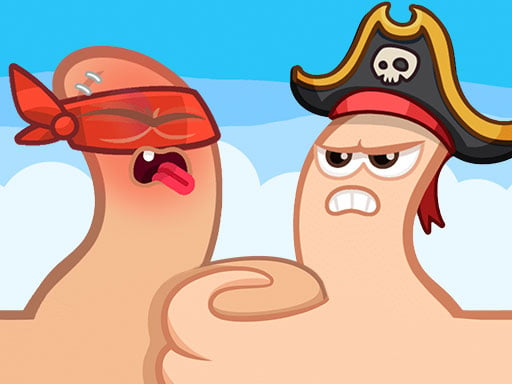
- Extreme Thumb Wars turns the thumb war into a duel on one screen. Pick one of more than twenty thumb characters, then watch both the health bar and the power bar; it plays against a friend or against the computer.
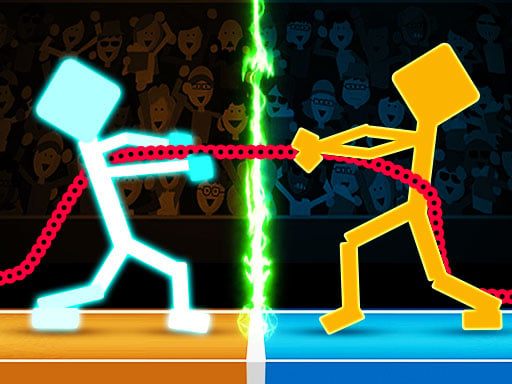
- Drunken Tug War is a rope pull: each player touches the screen to pull, and the green area in the middle drains the health of whoever touches it.
More games for two are in 2 player games.
Full screen and holding the phone
On Android, start the game, then tap Play fullscreen under it, on the right, and the game fills the phone. Turn the phone the way the game wants first. If a game shows up as a narrow strip, full screen is the fix, and how to make a browser game full screen explains what changes when the phone is upright or sideways.
Put the site on your home screen
Chrome on Android can place a shortcut to a web page on your home screen; this is a feature of the browser, not of any one site. Open the page, tap More, the three dots next to the address bar, and choose the item for the home screen. Depending on your Chrome version and the page, it is called Add to Home screen or Install and create shortcut, the name Google's Chrome help uses.
The shortcut is only a quick way back. Favorites, history and streak live in the browser you use: clear its data, open a private window or switch devices and they start over.
Frequently asked questions
Can I play browser games on Android without downloading?
Yes. Browser games load inside the browser tab, so nothing comes from Google Play and nothing is installed. You play free, with no registration.
Do browser games work in Chrome on Android?
Yes. The site works in the browser of a phone, a tablet and a computer. Open it in Chrome or the browser you use, and pick a game whose instructions name touch.
Can I play with a friend on one Android phone?
Yes. Extreme Thumb Wars and Drunken Tug War put two players on the same screen, each touching to play.
Are Android browser games free?
Yes. There are no in-game purchases, paid access or subscriptions, and the site asks for neither money nor personal data.
Read the instructions line, pick a game that names touch, and your phone is ready.