iPad Browser Games: Touch Games to Play in Safari
Updated
iPad browser games play in Safari or any other browser on the tablet: open the site, pick a game whose instructions mention touch and press play. Many browser games are made for a keyboard and a mouse, so every game below was picked because its own page names taps, drags, a finger or on-screen buttons.
Touch games and keyboard games
Games built for computers list keys such as WASD, Space or the arrow keys. On an iPad without a keyboard, a game like that may load and still give you no way to play. Before you press play, read the instructions line on the game page and look for touch, tap, drag or on-screen buttons.
What each of those words means for your finger is set out in a table in games to play on an iPhone browser. The gestures are the same on an iPad; the bigger screen just leaves more room for a board, a drawing or a second player.
Board games with a finger
- English Checkers is draughts under its other name. Touch a checker, then the cell you want it to move to. The game has a rating system and a leaderboard, and the full rules are in how to play checkers.
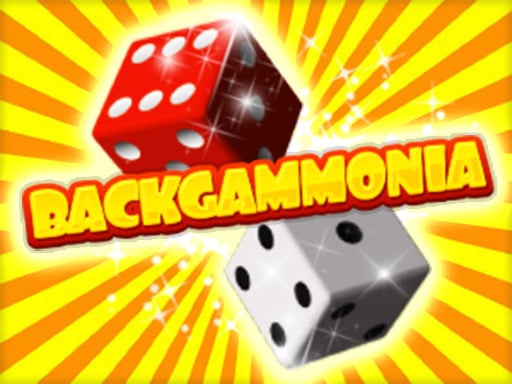
- Backgammonia is classic backgammon against the computer or against a friend in 2 players mode, played with mouse or touch. The rules are in how to play backgammon.
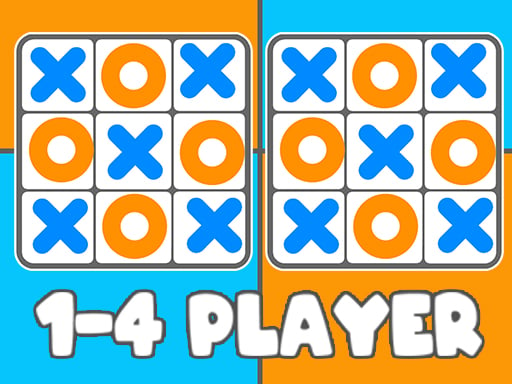
- Tic Tac Toe 1-4 Player lets one, two, three or four players share the board, with mouse or touch.

Draw with your finger
These games turn the screen into a sketchpad, which is where a tablet is most at home.
- Doodle Dash has you draw lines with your finger to make a path for a bouncy ball. The farther it rolls, the more ink you earn, and ink buys upgrades and new types of balls.
- Mazes Draw The Path asks you to hold your finger on the start and draw a route to the exit, avoiding the walls and collecting stars on the way.


Puzzles you tap or drag
- Lines to Fills Online has you drag colorful blocks with your finger to fill a shape, with no blank spots left. There is no time limit and no way to lose, across hundreds of levels.
- Sugar Blast: Snowy Pop is a tap puzzle: tap groups of matching candies in a row, a column or a diagonal to blast them. Some candies hide bombs that cost a life, and the game ends when your lives run out, across 125 levels.

More puzzles of every kind are in puzzle games.
Two players on one iPad
An iPad on the table between two people works like a small game board. In each of these games, both players play on the same screen.
| Game | How each player plays by touch |
|---|---|
| Pixel Ball League | Blue and red buttons on the screen move each player's character; five goals wins |
| Egg Wars | Red on-screen arrows for player 1, blue for player 2; protect your egg and damage the other one |
| Table Pong | Arrow buttons appear on the screen for table tennis against a friend |
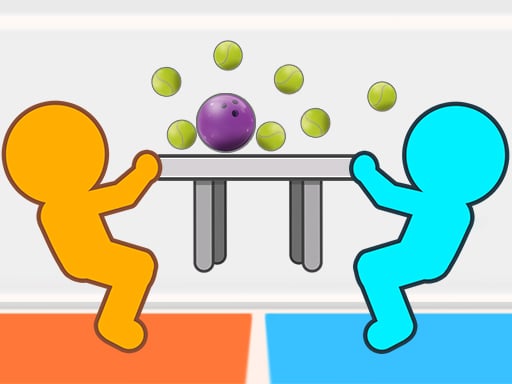
| Tug The Table Classic | Each player touches to tug the table their way |
| Sword Of Janissary | Touch the screen to swing the sword; the first to five wins |
| Toy Soccer Cup | 2 Players mode on the same device; drag back from a player and release to flick the ball, taking turns |




Toy Soccer Cup also has a quick match against the computer, a tournament and an online mode. More games for two are in 2 player games.
Full screen and holding the iPad
On an iPad, start the game and press Play fullscreen under it, on the right; a swipe down leaves full screen. Unlike on an iPhone, the button is there, and how to make a browser game full screen explains why.
Turn the iPad to match the game's shape. A tall game, such as a puzzle drawn for phones, fills more of the screen held upright, and a wide one, such as a two-player sports game, fills more of it sideways.
With a keyboard or a trackpad
If you use a keyboard with your iPad, a game that lists keys may respond to them. Tap inside the game first so your key presses reach it. If nothing happens, the game was probably built for a computer, and a game with touch controls is the better pick. What the common keys do is in keyboard controls for games.
Favorites and the streak on an iPad
Favorites, recently played, the game of the day and the streak work without an account. They live in the browser you use: clear its data, open a private window or switch devices and they start over. Moving from your iPhone to your iPad counts as switching devices, so the iPad keeps its own list.
Frequently asked questions
Can you play browser games on an iPad?
Yes. Browser games load in Safari on the iPad like any other web page, with no install and no registration, so you open the site, choose a game that names touch and start.
Which games work in Safari on an iPad?
Games whose instructions name touch, such as the ones above. A game that lists only keys was made for a computer and may not be playable with a finger.
Are there 2 player games for one iPad?
Yes. Pixel Ball League, Egg Wars, Table Pong, Tug The Table Classic, Sword Of Janissary and Toy Soccer Cup all put two players on the same screen.
Are iPad browser games free?
Yes, on the iPad as on every other device. There are no in-game purchases, paid access or subscriptions, and the site asks for neither money nor personal data.
Pick a game that names touch, and the iPad is ready to play.


